Before you connect
Use Creator or Agency for API/MCP access. Create the intended project and connect its channels in Reeling, then create a key in Settings > API & Automation. Install Node.js 20 or later for the reference check. Keep the key in a local secret environment; do not commit it, put it in a URL, paste it into a chat, or include it in screenshots. The current key is not a read-only credential: control tool approval in the MCP client.
Configure the local server
Use this command-and-args shape in your MCP client configuration. Replace YOUR_API_KEY locally. The GitHub package contains the Reeling tool definitions; check your client documentation for the configuration file location and restart or reload its MCP connection after saving.
{
  "mcpServers": {
    "reeling": {
      "command": "npx",
      "args": [
        "-y",
        "github:yomariano/reeling-mcp"
      ],
      "env": {
        "REELING_API_KEY": "YOUR_API_KEY",
        "REELING_API_URL": "https://api.reeling.app"
      }
    }
  }
}
Run the offline reference first
Download the read-only check below, inspect its source, and run it without credentials. It uses a synthetic one-project, one-channel fixture and makes no network requests. This is a reproducible example of the output shape, not proof that a live account is connected. The reference tests cover project selection, API errors, malformed responses and the absence of write requests.
node reeling-readonly-check.mjs --dry-run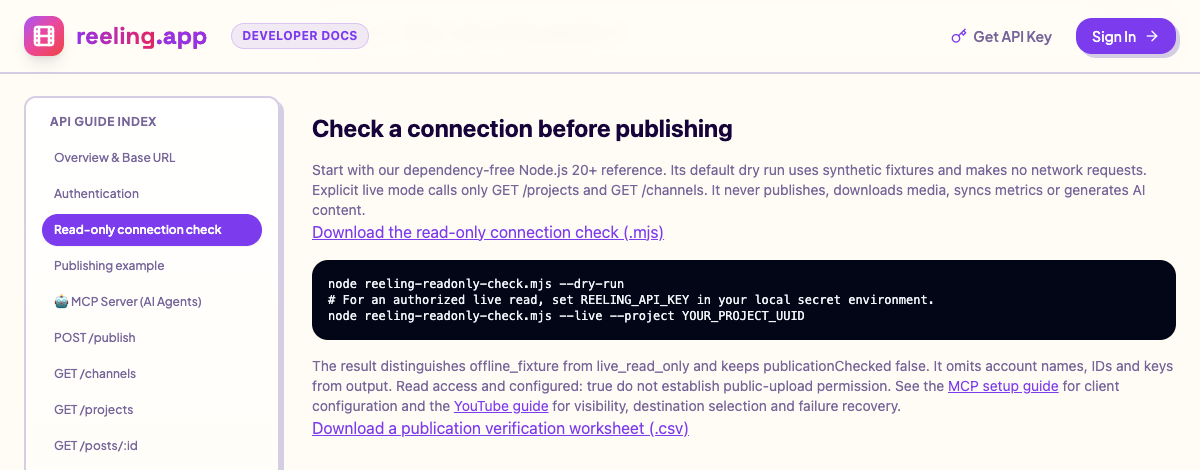
Understand the example result
This abbreviated output is illustrative fixture data. publicUploads: false is deliberately included: a configured connection does not mean it can publish publicly. publicationChecked stays false even in live mode, because this check never uploads or schedules anything.
{
  "mode": "offline_fixture",
  "readAccessChecked": false,
  "projectCount": 1,
  "channelCount": 1,
  "channels": [{ "platform": "youtube", "configured": true, "publicUploads": false, "maxVideoBytes": 104857600 }],
  "publicationChecked": false
}
Check your own account with two GET requests
Only after setting REELING_API_KEY in your local environment, use --live. With one project you can omit --project. With multiple projects, copy the intended UUID from your account and pass it explicitly. The script requests /api/v1/projects and /api/v1/channels?projectId=...; it does not call publishing, analytics sync, AI generation or channel-option endpoints. Output omits names, IDs and credentials.
node reeling-readonly-check.mjs --live --project YOUR_PROJECT_UUIDVerify the same reads in your MCP client
Reload the MCP connection after saving the configuration. Allow only the two read tools for this check: reeling_list_projects with {}, then reeling_list_channels with the chosen project_id. Compare the selected project and channel with your dashboard. Ask the client to show the proposed tool name and arguments before executing. Keep publishing, replies, metric sync and AI generation unapproved until you intentionally need them.
reeling_list_projects({})
reeling_list_channels({"project_id":"YOUR_PROJECT_UUID"})
Recover from a failed connection
If the local process cannot start, confirm Node and npx are on the MCP client’s PATH, then check the client’s server log without sharing credentials. HTTP 401 means authentication failed: check for a revoked or mistyped key. HTTP 400 on channels usually needs an explicit valid project UUID. For 403, check permissions and plan access; for 429, wait before retrying. A timeout or 503 does not prove a social account needs reconnecting. An empty channels list means this project has no returned connections; select the correct project before reconnecting anything.
Set expectations before enabling writes
The published MCP tool exposes content and scheduled_at, while REST publishing accepts caption and scheduled_for. MCP does not expose every REST destination option or channel_ids. If a project has two YouTube channels and you request platform youtube, both matching accounts can be selected. For exact channel selection and YouTube visibility, prepare a REST request with channel_ids and youtube options instead. Supported comment inbox networks and metric coverage are listed separately in the developer matrix.
Live REST check: October 15, 2026
At 19:37 UTC on October 15, 2026, we ran the downloadable reference with an existing authorized key. GET /api/v1/projects and GET /api/v1/channels each returned HTTP 200. The key returned one project and six channels: YouTube, Threads, Instagram, Bluesky, TikTok and Facebook. No explicit project choice was needed. The excerpt below is an actual sanitized result, separate from the offline fixture above. Reported capability flags describe the server’s configuration at that time; they do not verify channel permissions, a successful upload or public visibility. Claude, Cursor and MCP tool execution were not tested in this run. No content was uploaded, scheduled or published, and no AI generation was requested.
{
  "mode": "live_read_only",
  "readAccessChecked": true,
  "projectCount": 1,
  "channelCount": 6,
  "publicationChecked": false
}